QR gallery
Wedding photo sharing with a QR code — photos from your guests
One QR code on the table turns every guest into a photographer. Photos from the whole wedding land in one place — no app and no sign-up. The gallery comes with the Wedding + Memories plan — one payment, no subscription.
How it works
Print the QR code
You download the code or a ready template and put it on the tables.
Guests add photos
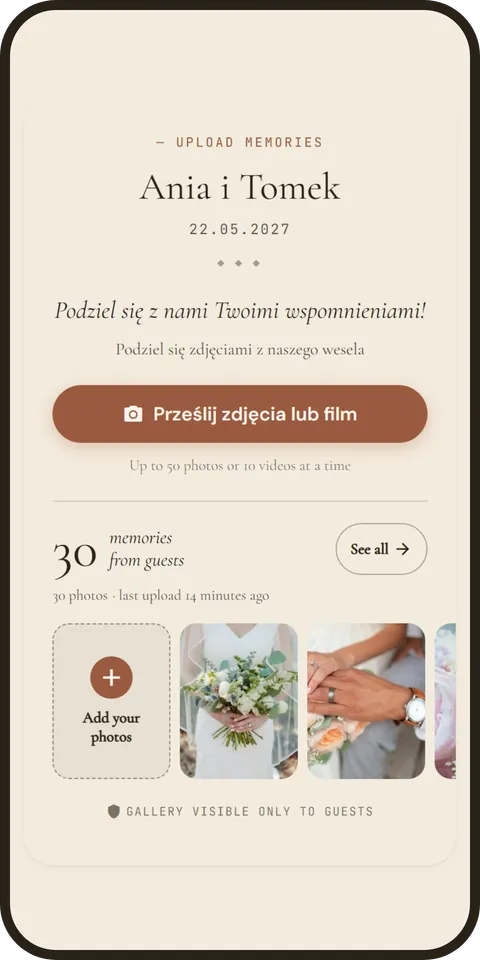
A guest scans the code and uploads photos from the phone, with no app and no account.
Download the whole gallery
After the wedding you browse all photos and download them in one ZIP file.
How do you collect wedding photos from guests without an app?
Guests take hundreds of photos at a wedding, but then the photos stay on their phones. A QR code on the table changes that: a guest scans it with the camera, picks photos from the phone and sends them with one button. The page works in the browser, so nobody installs an app or creates an account.
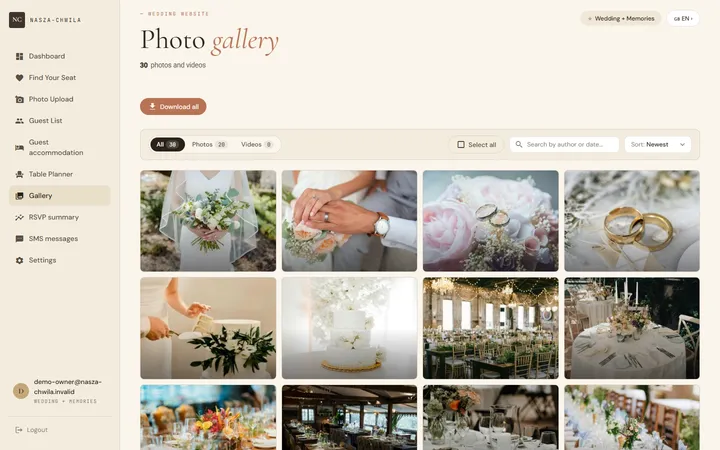
All photos go to one wedding gallery that you browse in your panel.
How many photos can guests add, and how do you download them?
There is no photo limit. We keep the original files and create thumbnails for fast browsing. The gallery is available for 12 months after the wedding. During that time you can download everything in one ZIP file and keep it on your own drive.
A QR gallery, a shared folder or a group chat?
A shared cloud folder needs a link, and often an account and an app. A group chat mixes photos with messages, and many messaging apps reduce photo quality. A QR gallery collects the original files in one place, and a guest adds them in a few seconds, while the wedding is still going on.
What does a guest see after scanning the QR code?
The guest sees a page with your background, a short description and a button for adding photos. They can pick several photos at once and send them in one go. In the "My photos" tab they check what they have already added and delete a photo they do not want. Before the wedding you can see this page in a preview in your panel.
What the couple gets
Photo upload by QR code
A guest scans the code, takes a photo and adds it to the shared wedding gallery straight from the phone.
Online wedding gallery
All guest photos in one album that the couple can open on any device for 12 months after the wedding.
No photo limit
Guests upload as many photos as they like, and the couple downloads the whole gallery in one ZIP file.
My photos
Every guest quickly finds the photos they uploaded themselves.
Automatic thumbnails
The gallery loads quickly even with hundreds of wedding photos.
Safe uploads
File type checks and abuse protection, so that only photos end up in the gallery.
Frequently asked questions
Do guests need an account or an app to add photos?
No. A phone camera and a browser are enough. A guest scans the QR code, picks photos and sends them.
How long is the wedding gallery available?
For 12 months after the wedding. During that time you can download all photos in one ZIP file.
Can a guest see the photos they added?
Yes. In the "My photos" tab a guest sees the photos uploaded from their phone and can delete them.
Where should you put the photo QR code?
On every table, for example as an A6 menu or an A5 card, and on a poster at the entrance. You can download the code as PNG, SVG and PDF or as a print-ready template.